
Slotonauts Casino Login: Sign In With E-mail or One Tap
The Slotonauts Casino login takes your e-mail address and password: press Login in the top right corner, fill in the two fields and press Login again. If you opened your account with Google, Telegram or X, one tap on that icon under the form does the same job. The Slotonauts login form has the same fields on a computer and on a phone, and one sign-in opens every section of Slotonauts Casino: Games, Live Casino, Sport, Cybersport and Promotions.
No account yet? The Sign up form asks only for an e-mail and a password, and the welcome bonus is available after sign up.
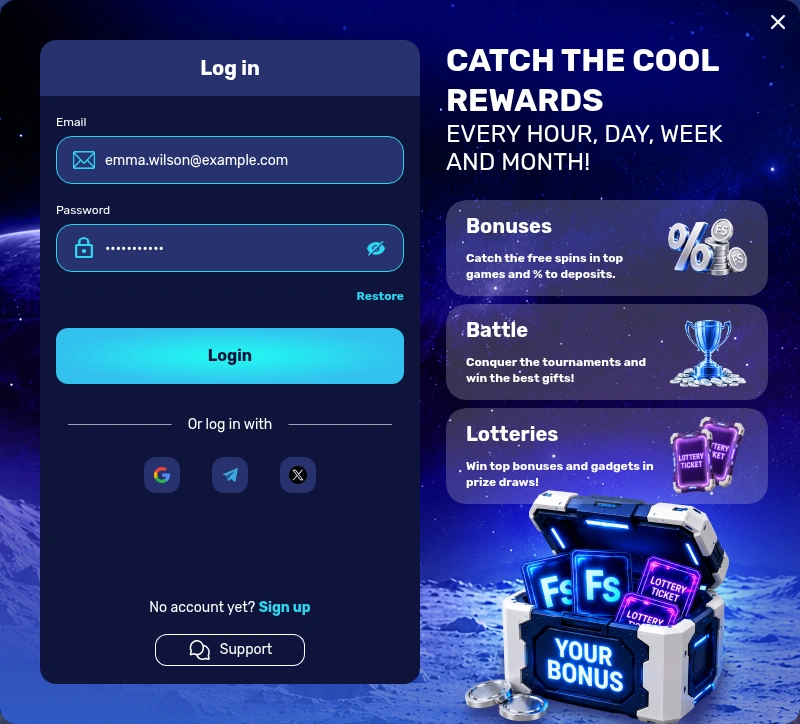
Four Moves From the Login Button to Your Lobby
There is no separate username for the Slotonauts login: the account is tied to the e-mail you entered at sign up, so that address is your login. The form opens as a popup over the page you are on.
Press Login
Press Login in the top right corner of the header, next to the Sign up button.
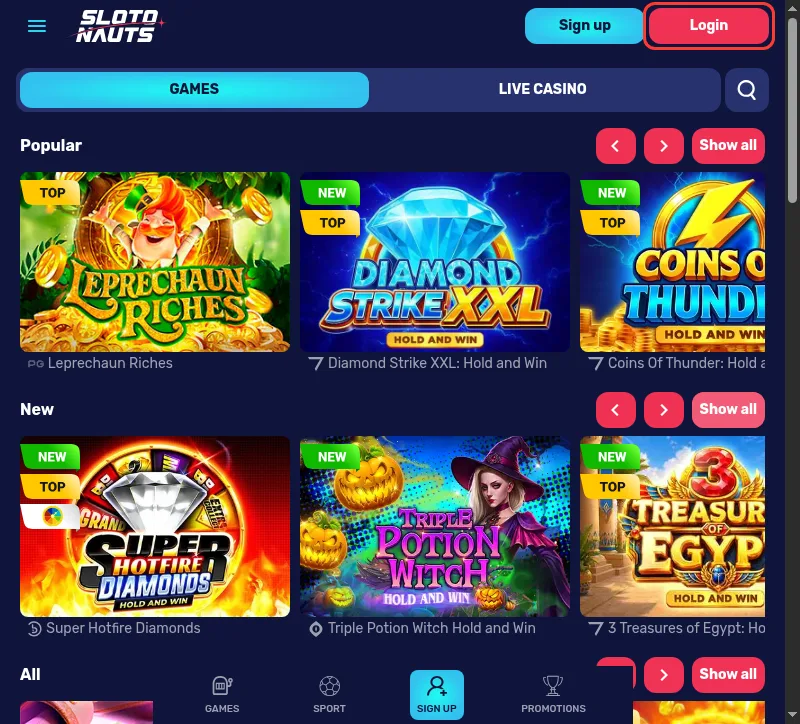
Enter your e-mail
Type the e-mail address of your account into the Email field.
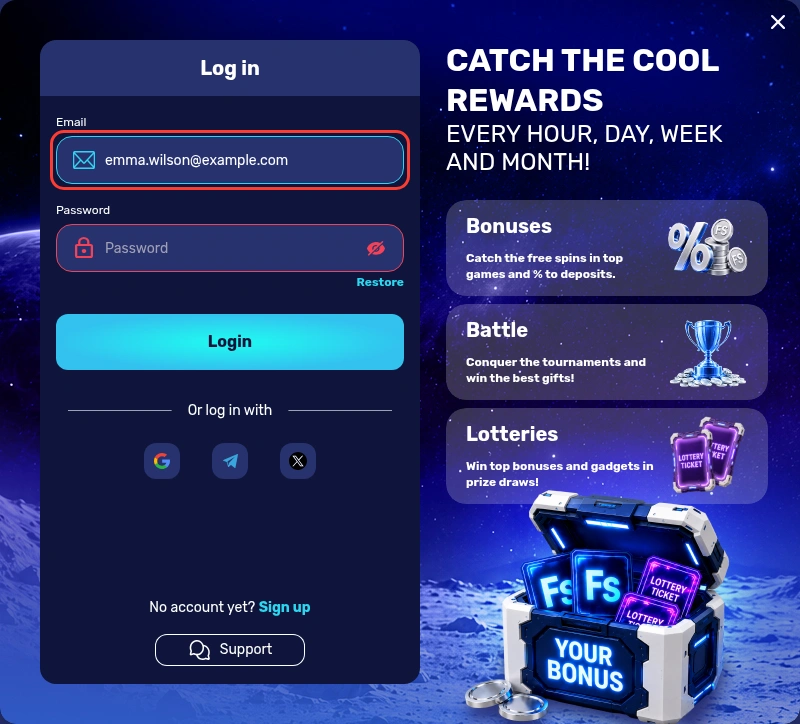
Type your password
Enter your password in the Password field; the eye icon shows the characters so you can check them.
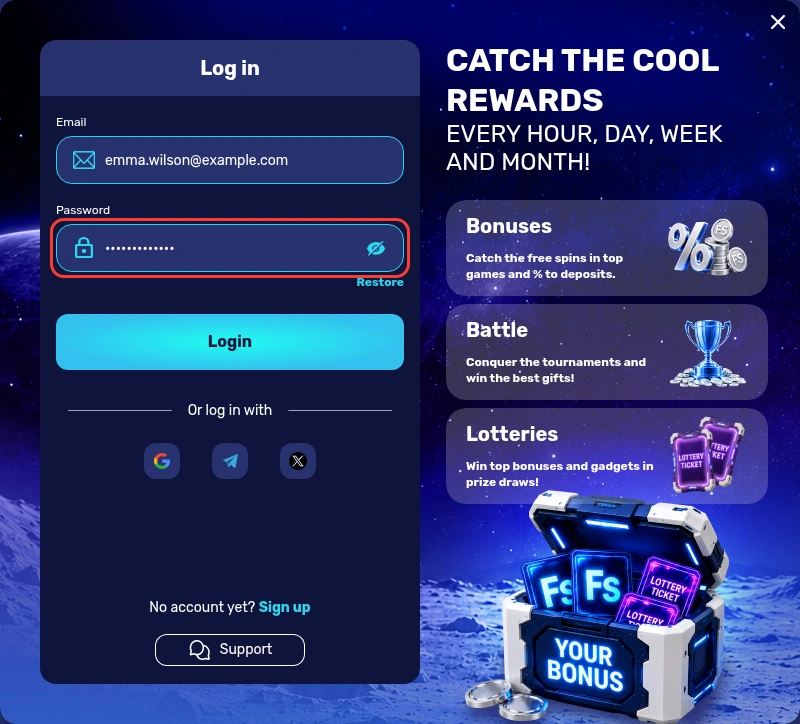
Open your account
Press the Login button under the fields to open your account.
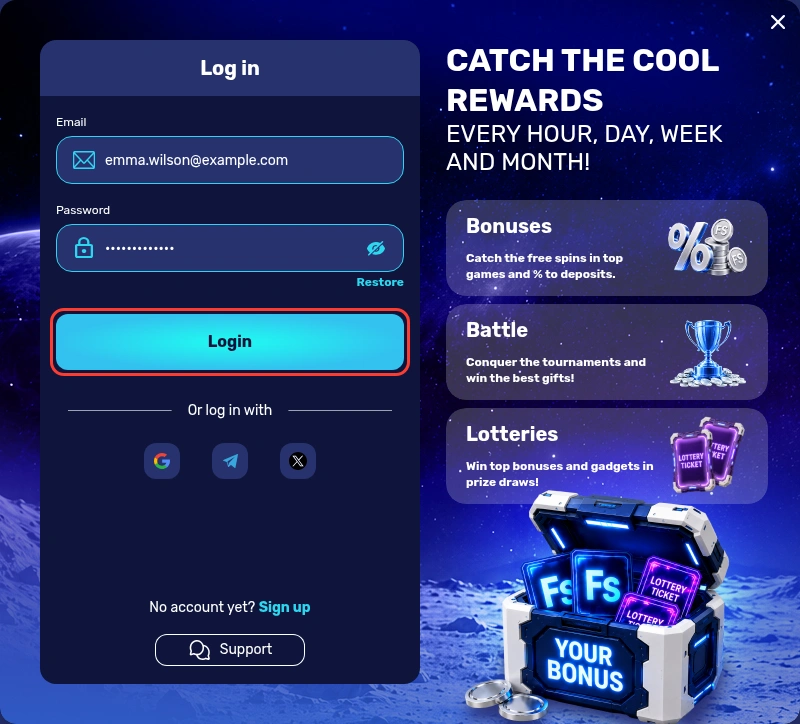
If the form will not accept the password, the Restore button beside Login starts a reset by e-mail or phone.
Welcome bonus after sign up
Google, Telegram or X Instead of a Password
Under the two fields sits the row "Or log in with" and three icons: Google, Telegram and X. Tap the one linked to your account, follow the prompt from that service and you are back in the lobby without typing a password. The Sign up form offers the same three routes, "Continue with Google" plus Telegram and X under Social registration, so an account opened with one of them can be reopened with one tap. Use the same service every time, and you always land in the same account.
Restore and Reset: Getting a New Password
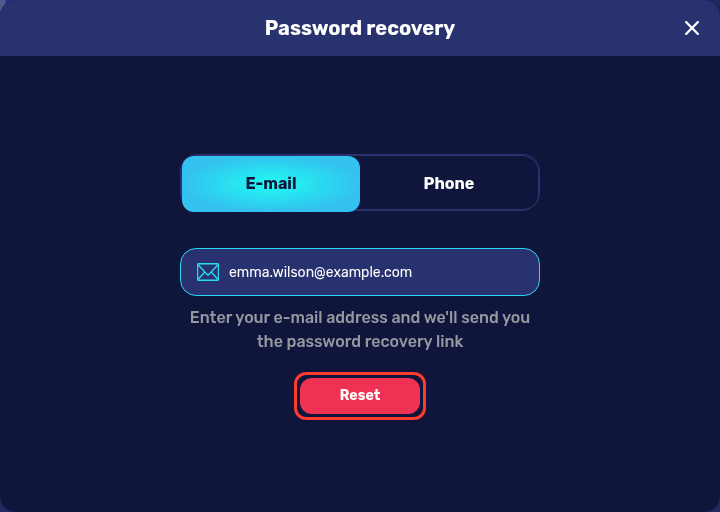
A forgotten password is fixed from the same popup. The "Password recovery" window has two tabs, E-mail and Phone, and the e-mail route goes like this:
- Open the login form and press Restore next to the Login button.
- Stay on the E-mail tab and type the address of your account.
- Press Reset, and the window promises a password recovery link to that address.
- Open the letter in the inbox of your registration e-mail, or in Spam, and follow its link to choose a new password.
The Phone tab is the second route for players who confirmed a number in their profile. If neither contact reaches you any more, ask Support to restore access.
Signing In on a Phone, the Android App or an iPhone Icon
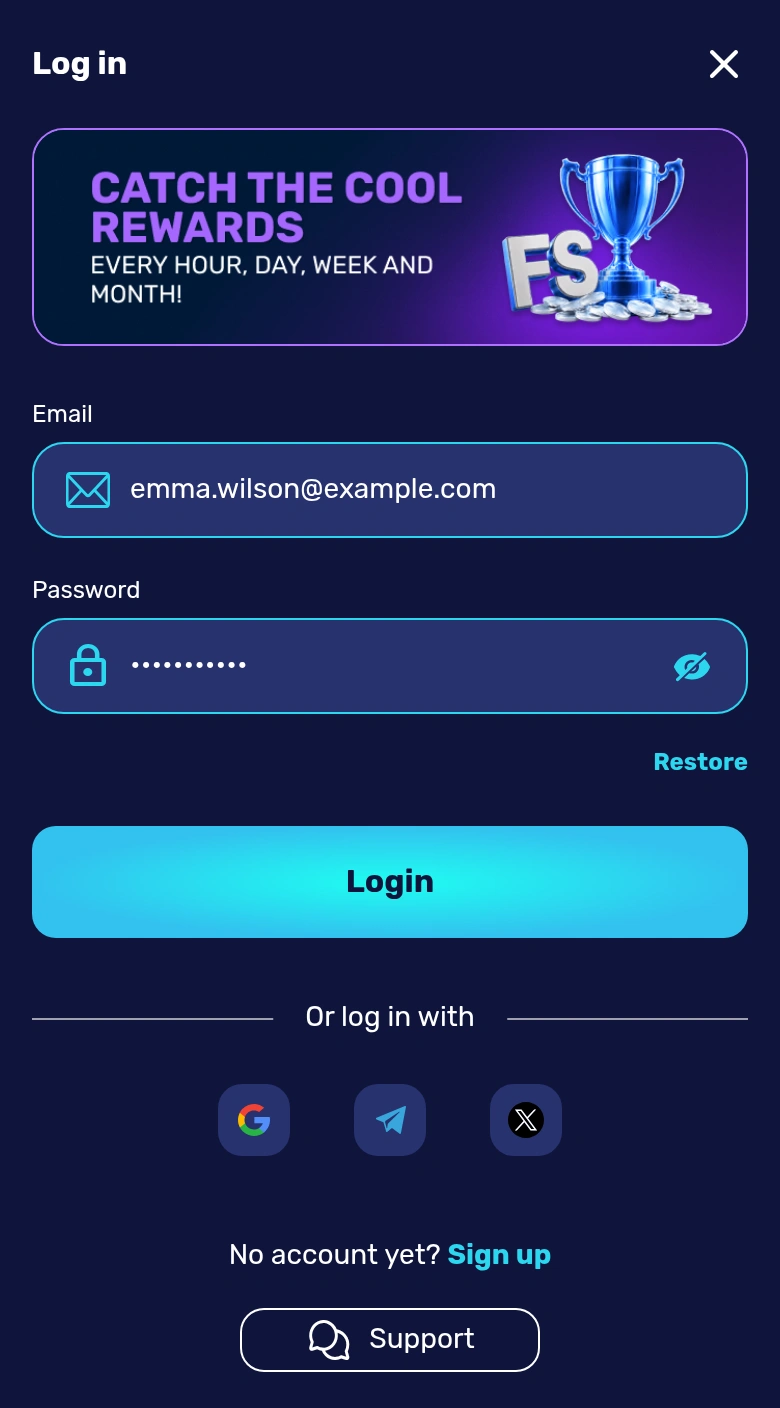
On a phone the login form opens full screen, with the same Email and Password fields, the Restore button and the Google, Telegram and X icons. The bottom bar of the mobile site keeps GAMES, SPORT and PROMOTIONS one tap away. The Slotonauts app for Android is a file you download from the App page and install from the Downloads folder, and you sign in to it with the e-mail and password you already use. On an iPhone the official page shows another route: tap the share icon, choose "Add to Home Screen", tap "Add" and start Slotonauts from the new icon. That icon opens the same site, so the same login works there too. On a desktop, the App page also has a QR code: scan it with the phone to start the Android download.
Cashbox, Profile and Offers Behind the Login
Once you are signed in, the account area has three tabs, CASHIER, PROFILE and OFFERS:
- CASHIER opens the Cashbox with DEPOSIT, WITHDRAW and HISTORY, and the withdrawal history shows the status of each request.
- PROFILE holds three more tabs: PROFILE for personal and contact details, DOCUMENTS for verification files and PASSWORD for changing the password.
- OFFERS lists the welcome package cards, each with a countdown timer and an Activate button, next to the CASHBACK and No Deposit Bonuses tabs.
The bonus rules ask you to activate a bonus before you deposit, and only one bonus can be active at a time. Each of the three welcome deposits adds a batch of Slotonauts free spins, and the Activate button on its card is what switches them on.
Confirm Your E-mail and Phone After the First Login
Until both contacts are confirmed, the profile shows a red notice: "Please confirm your contact details (e-mail and phone number)". Clearing it on the first visit takes three actions:
Confirm your e-mail
Press Confirm next to your e-mail in PROFILE and click the link in the letter, checking Spam if it is not in the inbox.
Request the SMS code
Enter your phone number, press "Confirm number" and wait for the SMS code.
Enter the code
Type the code and press "Confirm"; "Resend SMS" sends a new code if the first one does not arrive.
A confirmed phone is needed before any bonus can be credited. Before you cash out your winnings, the WITHDRAW tab also checks four items: verified e-mail, phone number, address and personal data. Identity and address files go to DOCUMENTS, up to five per section, as .jpg, .jpeg, .bmp, .png or .pdf of up to 15 MB each.
Error Messages and Account Rules at Sign-In
The Slotonauts forms answer typing mistakes with short messages, and a few account rules decide which details you can use:
| Message or rule | What it means | What to do |
|---|---|---|
| "Wrong email format" | the address has a typo | retype the full e-mail address |
| "Required field" | the password field is empty | enter it, the eye icon shows what you typed |
| A second account | one account per device, IP address and phone, on all Slotonauts domains | sign in to the account you already have |
The login form also has its own Support button. If the site will not load at all, contact Support by phone or e-mail rather than through unofficial copies or other addresses.
Sign In Only on the Real Slotonauts Address
The official Slotonauts Casino site is slotonauts777.com, and its login form has exactly the fields shown in the steps above. Type the address yourself or use the buttons on this site, and look at the domain in the browser bar before you enter a password. Do not sign in after following a link from a text message or an unexpected e-mail; open the site directly instead. The Sign up popup carries an "SSL secure" badge. Never share the password with anyone, including people who say they work for the casino.
When You Want a Break From Your Account
If you want to stop playing, write to Support and ask for self-exclusion: the account is blocked after a call from the support manager, and a request through online chat lasts 30 days. Slotonauts is not connected to GAMSTOP, and its terms ask every player to declare that they are not a GAMSTOP member. If you have self-excluded through GAMSTOP, please do not sign in here. 18+. Gambling can be addictive, play responsibly. Free, confidential support: National Gambling Helpline 0808 8020 133.
Login Questions From UK Players
Do I have to verify my account before I can log in?
No. Signing in needs only your e-mail and password or one of the social icons. Documents come later: an ID, a proof of address not older than 3 months and card photos showing the first six and last four digits are asked of every player who deposits.
Can I change the e-mail I use to log in?
Not from the profile. Name, phone number and e-mail can only be changed by Support, so open the online chat or write to Support and say which contact needs updating.
Can I log in from outside the UK?
That depends on the country. Slotonauts does not accept accounts or deposits from a list that includes France, Spain, Italy, the Netherlands, Ukraine, Georgia and the USA, and its terms add more, such as Germany, Australia, Canada, Gibraltar, the Isle of Man and Jersey. Read the restricted list in the Terms & Conditions before you travel.
How do I log out?
Open the account menu and choose Leave. Do it every time on a shared or public computer, so the next person does not end up in your account.
How do I reach Support if I cannot log in?
Press Support in the login form or open the online chat, which first asks for your e-mail, name, last name and phone number. You can also call +441241340777 or write to customercare@slotonauts.email.