
Slotonauts App for iPhone and Android With Up to 50€ for Installing
The Slotonauts app brings the games and Sport of Slotonauts Casino UK to your phone in two forms. On Android it is an APK file that you download from the App page of the official site and install yourself. On an iPhone you add Slotonauts to the Home Screen with the browser's share icon and start it from its own icon. Both lead into the same account as the website, with the same e-mail and password, and installing the application brings a bonus of up to 50€, sized by your deposit.
Deposit before installing or within 72 hours after: the first tier pays 5€, and from 1,001€ the app bonus reaches 50€.
App at a glance
- Android
- APK file slotonauts-1_79_1.apk
- iPhone
- "Add to Home Screen" icon
- Source
- App page of slotonauts777.com, Download button or QR code
- Account
- Same e-mail and password as the website
- Install bonus
- Up to 50€, given once
iPhone: From the Share Icon to a Slotonauts Icon on Your Home Screen
There is no file to download on an iPhone. Open the App page of slotonauts777.com on the phone, and its block "How to install for iOS" lists four moves:
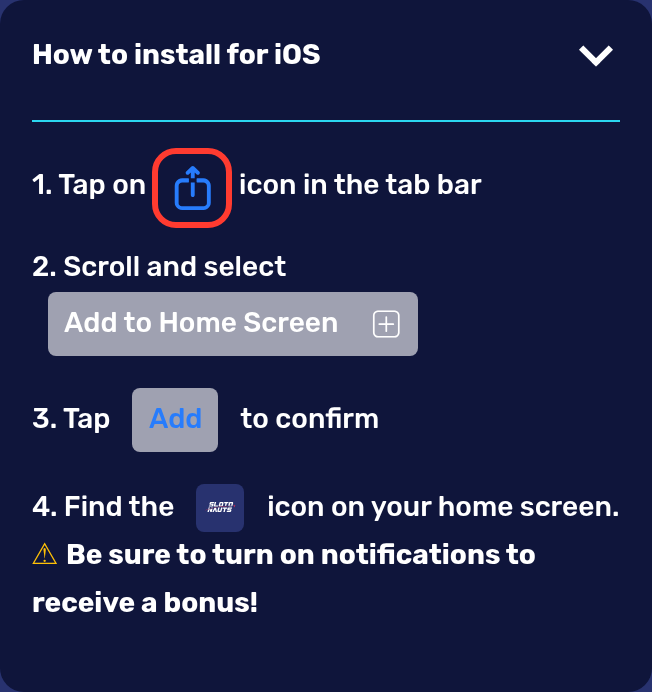
Tap the share icon
Tap the share icon in the tab bar of the browser.
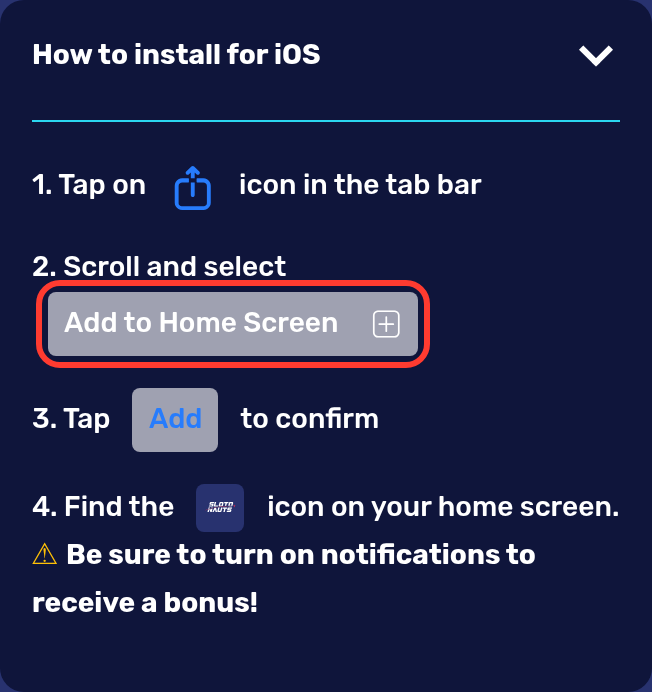
Choose Add to Home Screen
Scroll the menu and select "Add to Home Screen".
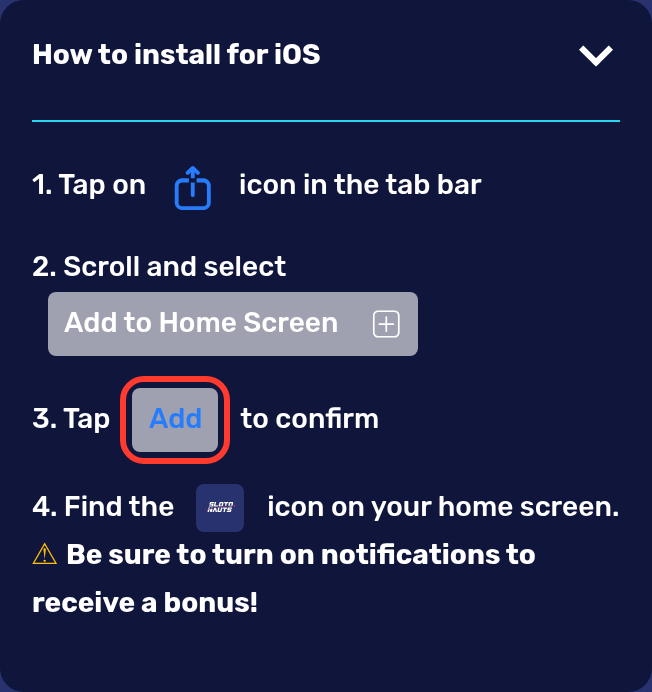
Confirm with Add
Tap "Add" to confirm.
Open the new icon
Find the Slotonauts icon on your home screen and open it.
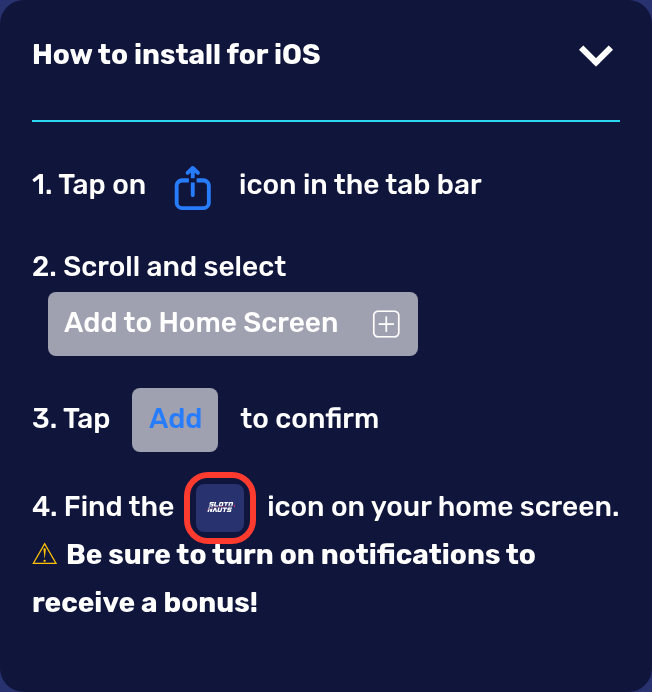
From then on Slotonauts starts from that icon, and your usual e-mail and password sign you in. The official page adds one more line, "Be sure to turn on notifications to receive a bonus!", so allow notifications for Slotonauts once the icon is in place.
Android: Download the slotonauts-1_79_1.apk File From the App Page
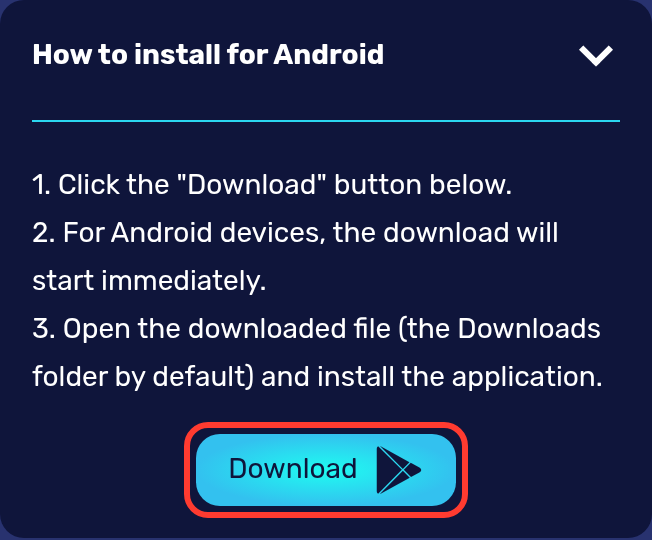
On Android the Slotonauts app is a file you install yourself. Open the App page on the phone, and the block "How to install for Android" takes you through it:
- Tap the "Download" button on the App page.
- Let the download run: on Android devices it starts at once, and the file is called slotonauts-1_79_1.apk.
- Open the downloaded file from the Downloads folder and install the application.
- Start the app and sign in with your Slotonauts e-mail and password.
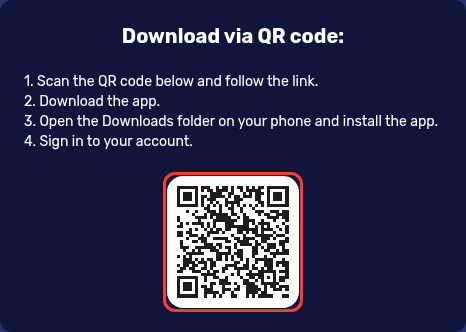
The Download button carries an icon in the Google Play style, but the file comes straight from slotonauts777.com. On a computer the same page shows "Download via QR code": scan the code with your Android phone, let the file download, open it from Downloads, install it and sign in.
Why You Will Not Find It in Google Play or the App Store
Google Play accepts real-money gambling apps for UK users only from operators that hold a UK Gambling Commission licence. Slotonauts publishes no such licence: its Sign up popup shows a "Licensed" badge without a number. The casino therefore offers its app only through its own App page.
An app in a store or on a download site under the Slotonauts name did not come from that page. The official routes are the "Download" button and the QR code on slotonauts777.com for Android, and "Add to Home Screen" for iPhone. If a message offers you a Slotonauts file, ignore the link and open the App page yourself.
APK, Home Screen Icon or Mobile Browser: What Changes
All three ways lead into the same Slotonauts account. They differ in where you get them and what ends up on the phone:
| Route | Where it comes from | What is added to the phone | How it opens |
|---|---|---|---|
| Android app | "Download" button or QR code on the App page | the file slotonauts-1_79_1.apk, installed from Downloads | from the app icon |
| iPhone icon | share icon, then "Add to Home Screen" in the browser | a Slotonauts icon on the home screen | from that icon |
| Mobile browser | slotonauts777.com typed into the address bar | nothing | from the browser |
Your Slotonauts login is the same in all three: the e-mail and password from sign-up, or the Google, Telegram or X icon you opened the account with. The mobile layout puts a bar with GAMES, SPORT, SIGN UP and PROMOTIONS at the bottom of the screen. Keep to one account for every device you use, because Slotonauts allows one account per device, IP address and phone number.
From 5€ to 50€ for Installing, Plus the 375% Welcome Package
Installing the application pays a one-time bonus, and its size follows your deposit:
| Your deposit | App bonus |
|---|---|
| 1€ to 50€ | 5€ |
| 51€ to 100€ | 10€ |
| 101€ to 250€ | 15€ |
| 251€ to 500€ | 20€ |
| 501€ to 1,000€ | 30€ |
| 1,001€ and more | 50€ |
The deposit counts if you make it before installing or within 72 hours after, and the bonus is given once. Every Cashbox method starts at 20€ or more, so your first payment from the phone already covers the 5€ tier. The welcome package is claimed on the phone through OFFERS too: press Activate on the first card, deposit at least 20€ for 100% + 100 FS, and the next two deposits complete 375% + 300 FS, up to 3,000€. Prizes of the weekly 7-Day Battle, paid as a Slotonauts no deposit bonus of up to 50€ or as free spins, go to the same account.
Apple Pay, Google Pay and Seven More Ways to Pay From a Phone
The Cashbox has three tabs, DEPOSIT, WITHDRAW and HISTORY. For a UK account the deposit tab lists these methods, all in euros:
- Apple Pay and Google Pay, 20 to 300€
- Visa and Mastercard cards, 20 to 300€


- Bank Transfer (Faster Payments), Monzo, Revolut and Starling Bank, 20 to 300€




- Crypto, including Bitcoin, USDT and Ethereum, 75 to 2,000€

Money goes back the way it came in, since a withdrawal uses the same method as the deposit. Before the first one, each deposit has to be bet three times. You can request a payout in the WITHDRAW tab once four checks are done: e-mail, phone number, address and personal data. Card payouts to Visa or Mastercard run from 150 to 400€ and typically take 24 to 36 hours.
Slots, Live Roulette and Sport on a Small Screen
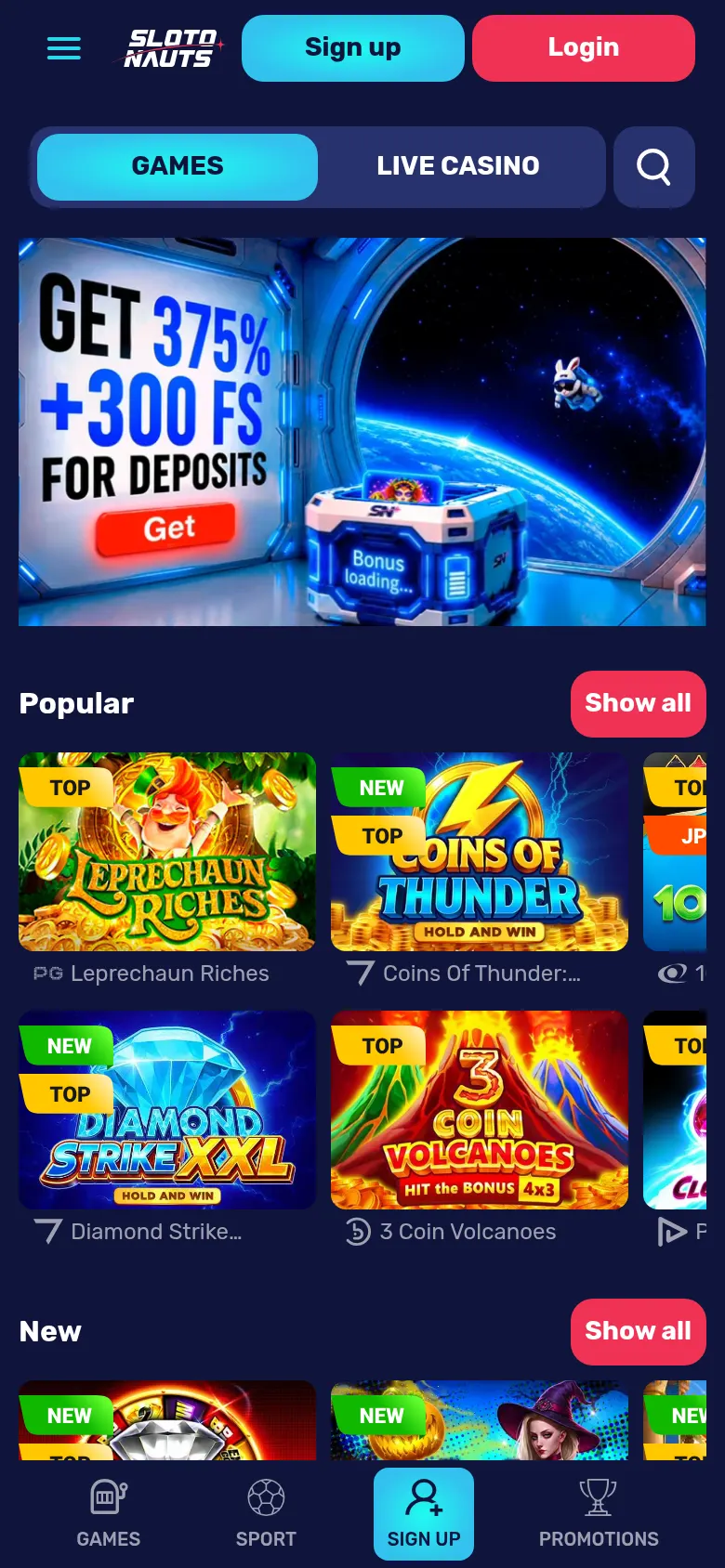
The mobile home page opens with the 375% + 300 FS banner and game shelves that start with Popular and New. Popular holds titles such as Leprechaun Riches, Space Riches and Coins Of Thunder: Hold and Win, while New brings Super Hotfire Diamonds and Super Wild Bison. Further down come Live casino with Live Roulette and Gravity Auto Roulette, Crash games such as Chicken Road and DroneX, Table Games with several Baccarat versions, and bingo under Other games. Filters sort the catalogue from A to Z or by popularity, by provider and by features like Hold and Win, Megaways or Bonus Buy. "Active Bonus" picks out the games you can play with a bonus. SPORT sits in the bottom bar and CYBERSPORT in the menu, and both open the betting sections.
Security on Your Phone and Taking a Break
A phone goes everywhere with you, so two habits matter. Install the APK only from the App page and type slotonauts777.com yourself; the Sign up popup there carries an "SSL secure" badge. On a shared or borrowed phone, log out with Leave in the account menu when you finish.
Support can also close the account for you. After your request a support manager calls and blocks it, and a block asked for in online chat runs for 30 days. Slotonauts is not part of GAMSTOP; if you have self-excluded through GAMSTOP, please do not install the app. 18+. Gambling can be addictive, play responsibly. Free, confidential support: National Gambling Helpline 0808 8020 133.
Before You Install: Common Questions
Why does the Download button show a Google Play icon?
The icon stands for Android. Pressing the button downloads the APK straight from slotonauts777.com, and you install it from the Downloads folder rather than from a store.
Do I need a new account for the app?
No. The app is another way into the account you already have, so you sign in with its e-mail and password. New players sign up with an e-mail and a password or with Google, Telegram or X.
Can I claim the welcome package on my phone?
Yes. Each of the three welcome cards in OFFERS has its own countdown timer and Activate button, and the minimum deposits are 20€, 100€ and 200€. Every part is wagered x40, with a 2€ maximum bet while the bonus is active.
I pressed Download on my computer. Why is nothing on my phone?
On a computer the button saves the file to that computer. For the phone, scan the QR code on the same App page, or tap Download on the phone itself.
What should I do if I change or lose my phone?
Install the app again on the new phone and sign in with the same e-mail and password. A new phone number in your profile can only be set by Support, and a confirmed number is needed before bonuses are credited.